
How to Restore Your Wallet With a Seed Phrase on a New Phone
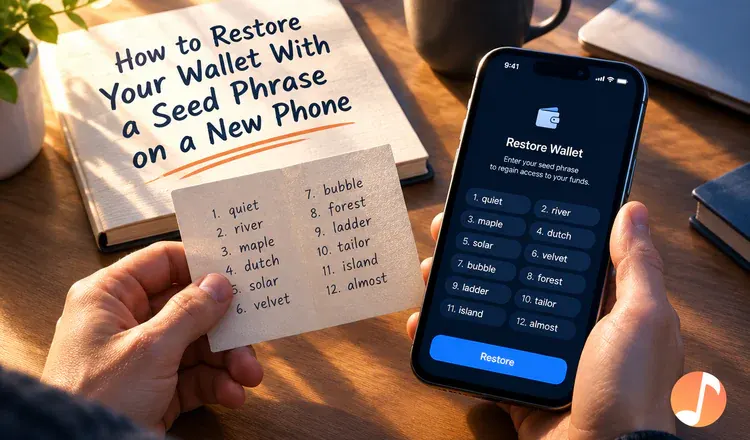
To restore your wallet with a seed phrase on a new phone, install the same wallet app, choose "I already have a wallet", type the words in their original order, and set a new password. It takes about five minutes. Your coins were never stored on the old phone in the first place — they sit on the blockchain, and the seed phrase is what proves they are yours.
Why do the words work on a phone that has never seen your wallet?
Think of the seed phrase as the mould a key is cut from. The old phone held a copy of the key; the mould is still in your hands. Any wallet app that follows the same standard — MetaMask, Trust Wallet, Phantom, Exodus — can cut a fresh copy from those words, on any device, without asking anyone for permission. That is the whole point, and it is also the danger: anyone who reads those words owns the wallet too. Type them only into the wallet app itself, never into a website, a support chat, or a photo.
The steps, in order
- Install from the official app store listing. Check the developer name and the number of downloads — convincing fake wallet apps get published regularly.
- Choose "Import" or "I already have a wallet". Tapping "Create a new wallet" makes a brand-new empty wallet with a different phrase.
- Type the words in order, all lowercase. Most apps suggest the rest of a word after three letters; that list lives inside the app and is not sent anywhere.
- Set a new password or PIN. It is local to the new phone and has nothing to do with the old one.
- Let the balance load, then check each network separately.
The balance shows zero — is the money gone?
Usually not. Three things explain almost every empty screen. The app may be pointed at the wrong network, so switch between Ethereum, BNB Chain, Polygon or Solana and look again. Tokens often have to be added by hand by pasting the token's contract address. And many wallets only show the first account, so use "Add account" to reveal the second and third. If the words themselves are refused, that is a different problem — see seed phrase not working.
Do the restore while the old phone still works, if you can, and compare the first address on both screens. Matching addresses mean you restored the right wallet and can safely wipe the old device. For the desktop version of the same job, read how to restore a wallet from a seed phrase.